
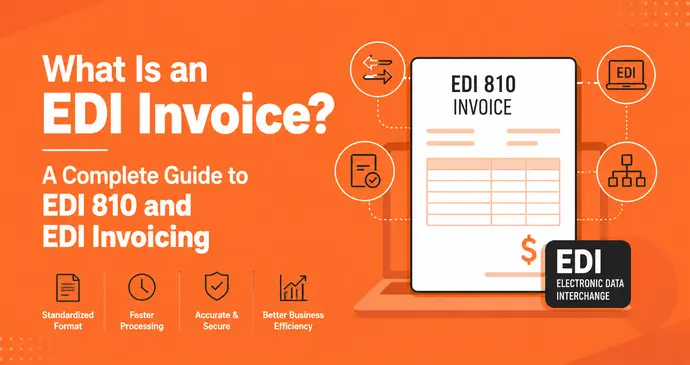
Quick Answer: An EDI invoice is a bill that one company’s computer sends straight to another company’s computer, in a fixed digital format, so no one has to type it in by hand. In the US, this format is usually called EDI 810. Instead of a PDF or a paper bill landing in someone’s inbox, the invoice arrives as structured data that software can read, check against the purchase order, and pay often without a human touching it at all.
If you’ve ever waited weeks to get paid because your invoice sat in someone’s inbox, or spent hours re-typing supplier bills into your accounting software, this guide is for you. We’ll walk through what an EDI invoice actually is, how EDI 810 works, how it’s different from a regular invoice and from e-invoicing, and whether your business actually needs it.
What Is an EDI Invoice?
An EDI invoice is short for Electronic Data Interchange invoice. Strip away the jargon and it’s simply this: a bill where the data moves between two computer systems, not the document.
Think about a normal invoice. You open Word or an invoice tool, type in the client’s name, add line items, calculate the tax, and send it as a PDF or a printed page. Someone on the other end opens it, reads it, and manually enters those same numbers into their own accounting system.
An EDI invoice skips that last step entirely. The seller’s system creates the invoice data and sends it in a strict, pre-agreed format directly into the buyer’s system. The buyer’s software reads it, matches it against the original purchase order, and updates its own records automatically. No PDF. No re-typing. No inbox.
This only works because both sides agree on the exact same “shape” of the data ahead of time which field comes first, what a price looks like, where the tax amount sits. That agreed shape is called an EDI standard, and it’s what makes the whole thing possible.
A Simple Real Life Example
Picture a mid-sized grocery chain that orders bread from a regional bakery every single day.
Without EDI: The bakery’s accountant manually creates an invoice each morning, emails a PDF to the grocery chain’s accounts payable inbox, and someone on the other end opens it, checks it against the delivery note, and types the numbers into their accounting software. With 40 deliveries a day across different stores, that’s 40 invoices someone has to open, verify, and key in by hand every single day.
With EDI: The bakery’s system automatically generates an EDI 810 invoice the moment the delivery is confirmed. It’s transmitted straight into the grocery chain’s system. Software there matches it against the purchase order and the goods-received note. If everything lines up, the invoice is approved and queued for payment with zero manual typing.
That’s the entire idea of EDI invoicing in one story: it replaces a document that a human reads with data that a machine reads.
How EDI Invoicing Actually Works
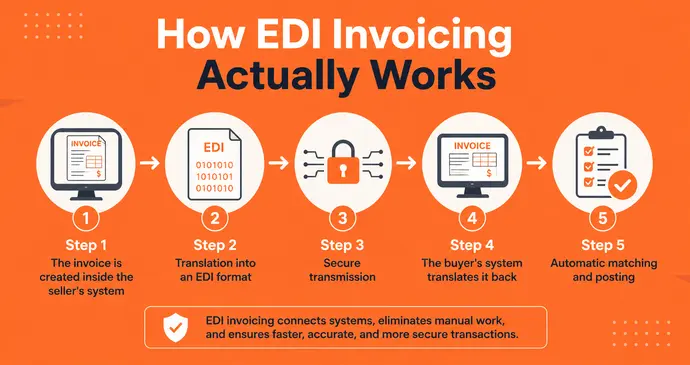
Here’s what happens behind the scenes, broken into stages a non-technical person can actually follow.
Step 1 – The invoice is created inside the seller’s system – The seller’s ERP or accounting software generates the invoice the normal way i.e., invoice number, buyer details, items, quantities, prices, tax.
Step 2 – Translation into an EDI format – Special EDI software (called a “translator” or “mapper”) converts that invoice into a structured format like EDI 810. This isn’t readable to a human at a glance. It looks like a long string of codes and segments but it follows an exact rulebook both companies have agreed on.
Step 3 – Secure transmission – The file is sent to the buyer using a secure connection method, such as AS2, SFTP, or a Value-Added Network (VAN) that acts like a digital courier between the two companies.
Step 4 – The buyer’s system translates it back – On the receiving end, the buyer’s own EDI software decodes the file and turns it into something their accounts payable system understands.
Step 5 – Automatic matching and posting – The buyer’s system checks the invoice against the original purchase order (and often the delivery receipt too) in a process called three-way matching. If the numbers match, the invoice is approved for payment automatically. If something’s off say the quantity billed doesn’t match what was delivered. It’s flagged for a human to review.
The whole cycle, from invoice creation to posting in the buyer’s ledger, can take seconds rather than days.
What Is EDI 810?
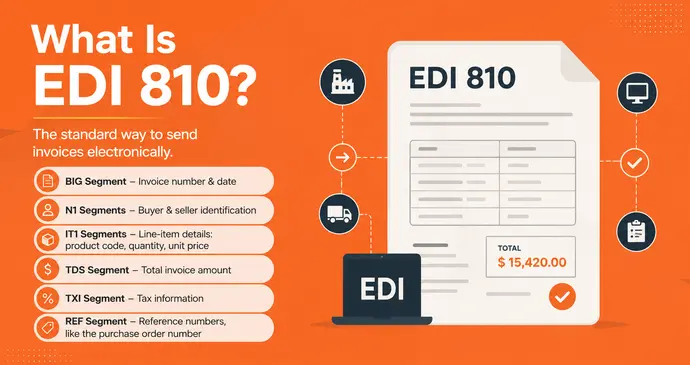
EDI 810 is the specific transaction code used for invoices under the ANSI X12 standard, which is the EDI standard most widely used across the United States. When someone in the US says “we need you to send EDI invoices,” they almost always mean EDI 810.
Every EDI 810 document is broken into standardized “segments”. Think of them as labeled boxes of information:
- BIG segment – the invoice number and invoice date
- N1 segments – buyer and seller identification
- IT1 segments – line-item details: product code, quantity, unit price
- TDS segment – the total invoice amount
- TXI segment – tax information
- REF segment – reference numbers, like the purchase order number
Because every trading partner uses the same segment layout, a buyer’s system doesn’t need to “guess” where the total is. It always knows exactly where to look.
Outside North America, the equivalent standard is usually EDIFACT, commonly used in Europe and much of the rest of the world. The underlying idea is identical; only the technical format differs.
Other EDI Invoice Formats
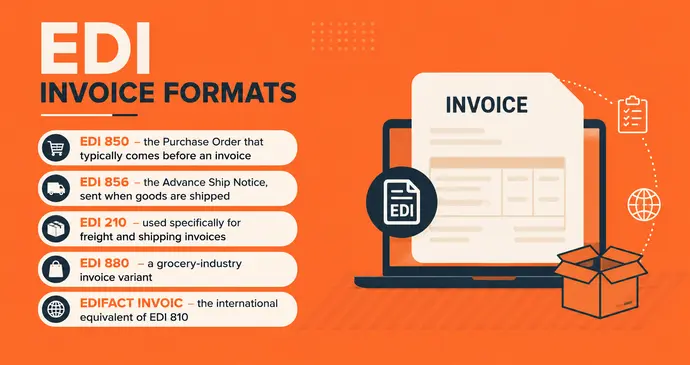
EDI 810 isn’t the only document code you’ll come across. A few related ones show up often enough that it’s worth knowing them:
- EDI 850 – the Purchase Order that typically comes before an invoice
- EDI 856 – the Advance Ship Notice, sent when goods are shipped
- EDI 210 – used specifically for freight and shipping invoices
- EDI 880 – a grocery-industry invoice variant
- EDIFACT INVOIC – the international equivalent of EDI 810
If you’re just starting out, the pattern that matters most is: 850 (order) → 856 (shipment) → 810 (invoice). Most EDI relationships revolve around this three-document cycle, and if you’re building your own paperwork trail outside of full EDI, a free purchase order generator is a good place to start mimicking that same 850-style structure before you ever formally connect to EDI.
What Information Is Inside an EDI Invoice?
Despite looking like a wall of codes, an EDI invoice carries exactly the same core information as any invoice you’d create by hand or with an online invoice generator. It’s just organized differently so a machine can parse it instantly.
Header information
- Invoice number and date
- Purchase order number it’s linked to
- Buyer and seller identification codes
Line-item details
- Product or SKU codes (often UPC, EAN, or GTIN barcodes)
- Description of the item
- Quantity shipped or delivered
- Unit price
Financial details
- Subtotal
- Tax amount and tax type
- Discounts applied
- Total amount due
Shipping and logistics
- Carrier name
- Shipping terms
- Delivery location
Nothing here is exotic. It’s the same information you’d put on any invoice — the difference is purely in how rigidly it’s structured so a computer never has to guess what a number means.
EDI Invoice vs Traditional Invoice
Let’s compare them side by side, because this is where most of the confusion starts.
| Traditional Invoice | EDI Invoice | |
|---|---|---|
| Format | PDF, paper, or Word/Excel file | Structured machine-readable data (e.g., EDI 810) |
| Who reads it first | A human | A computer system |
| Data entry | Manually typed into accounting software | Auto-populated, no typing needed |
| Speed | Hours to days, depending on email/mail | Seconds to minutes |
| Error rate | Higher — typos, missed fields | Lower — no manual re-entry |
| Setup effort | Almost none — any invoice tool works | Requires EDI software and trading-partner setup |
| Best for | Freelancers, small businesses, one-off clients | Large-volume B2B relationships, retail, manufacturing |
| Cost | Free to low-cost | Can involve setup, VAN, and software fees |
The honest takeaway: a traditional invoice is faster to create, but an EDI invoice is faster to process once it lands in the buyer’s system. If you send five invoices a month, EDI is overkill. If you send five hundred to the same handful of retail partners, EDI starts paying for itself quickly.
EDI Invoicing vs E-Invoicing: What’s the Real Difference?
This is one of the most searched questions on this topic, and it deserves a clear, no-nonsense answer.
E-invoicing is a broad umbrella term for any invoice that’s created and sent electronically. A PDF invoice you email to a client is technically an e-invoice. A government-mandated digital invoice submitted through a national tax portal is also an e-invoice.
EDI invoicing is one specific, older, and much more rigid type of e-invoicing. It follows a strict, pre-agreed structure and is designed for direct system-to-system communication — not for a human to open and read.
Here’s the simplest way to remember it: all EDI invoices are e-invoices, but not all e-invoices are EDI invoices.
| E-Invoice (general) | EDI Invoice (specific) | |
|---|---|---|
| Definition | Any invoice sent digitally | A structured invoice sent computer-to-computer |
| Readable by humans? | Usually yes (PDF, on-screen) | No — needs translation software |
| Common use case | Freelancers, small businesses, client billing, tax compliance portals | Large retailers, manufacturers, wholesalers, logistics |
| Setup required | Minimal — an invoice generator or accounting tool | Significant — EDI translator, trading-partner agreement |
| Standard formats | PDF, XML, UBL, country-specific e-invoice schemas | EDI 810, EDIFACT INVOIC |
| Flexibility | Can vary invoice to invoice | Must strictly follow the agreed format every time |
If you’re a freelancer or small business owner wondering whether you “need EDI,” the answer is almost certainly no, you need e-invoicing in its simplest form, which is just sending a clean, professional digital invoice. A free tool like InvoPilot’s invoice generator covers that need completely, without any EDI setup at all.
Why Businesses Use EDI Invoicing
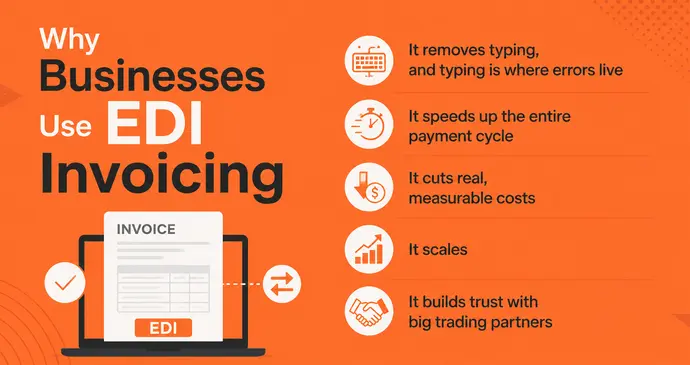
- It removes typing, and typing is where errors live – Every time a human re-enters a number from one system into another, there’s a chance of a transposed digit or a missed decimal. EDI removes that step completely.
- It speeds up the entire payment cycle – Because the invoice is matched against the purchase order automatically, approvals that used to take days can happen the same hour the goods arrive.
- It cuts real, measurable costs – No printing, no postage, no filing cabinets, no chasing down a lost invoice in someone’s email.
- It scales – A single retailer might process tens of thousands of invoices a month from hundreds of suppliers. EDI is really the only realistic way to handle that volume without hiring an army of data-entry staff.
- It builds trust with big trading partners – Many large retailers (think major supermarket chains or big-box stores) simply won’t work with a supplier unless that supplier can send EDI documents. In that world, EDI isn’t a nice-to-have, it’s the price of entry.
The Downsides of EDI Invoicing
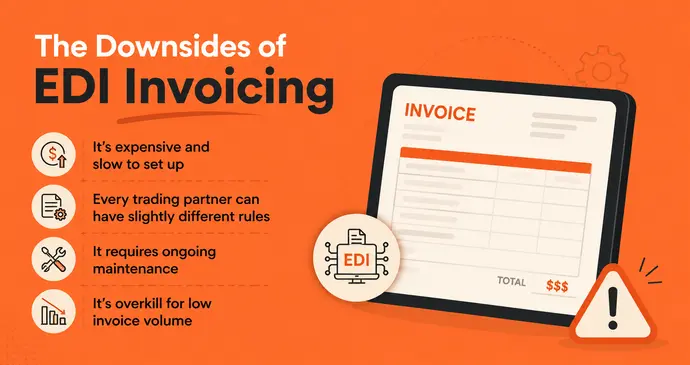
Most articles on this topic only tell you the good news. Here’s the part that’s easy to miss.
- It’s expensive and slow to set up – You’ll typically need EDI translation software, a connection method (AS2 or a VAN), and time spent testing with each trading partner before anything goes live. For a small business, this can cost more than it saves.
- Every trading partner can have slightly different rules – Even within the same EDI 810 standard, one retailer might want an extra reference field that another doesn’t use. This means “EDI-ready” isn’t really a single checkbox, you often configure it per partner.
- It requires ongoing maintenance – Standards get updated, trading partners change requirements, and someone on your team needs to own that relationship long after the initial setup.
- It’s overkill for low invoice volume – If you send a handful of invoices a month, the infrastructure cost of EDI will almost always outweigh the time it saves you.
Do You Need EDI Invoicing?
Ask yourself these three questions:
- Does a major trading partner require it? If a large retailer or distributor has told you EDI is mandatory to do business with them, the decision is made for you.
- What’s your invoice volume? Below a few hundred invoices a month to the same handful of partners, the ROI is usually weak.
- Do you have (or can you afford) technical support? EDI isn’t “set and forget” — it needs someone to maintain the mapping and troubleshoot rejected transactions.
If you answered “no” to the first question and you’re a freelancer, small business, contractor, or exporter sending invoices to a rotating set of clients, you almost certainly don’t need EDI. What you need is a clean, professional, fast way to generate invoices.
How to Set Up EDI Invoicing, Step by Step
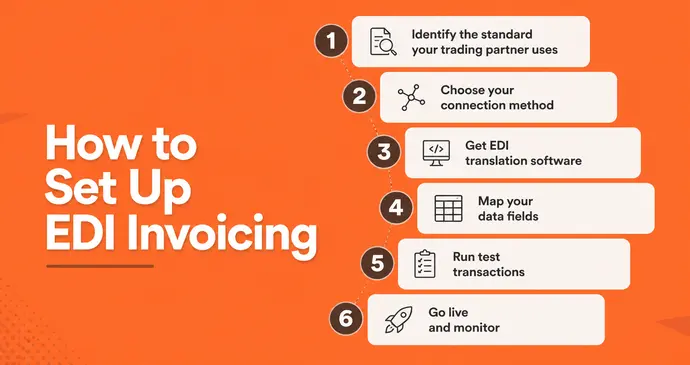
If EDI genuinely is the right move for your business, here’s the realistic path:
1. Identify the standard your trading partner uses – Ask them directly, usually it’s ANSI X12 (EDI 810) in North America or EDIFACT elsewhere.
2. Choose your connection method – You can either:
- Use a Value-Added Network (VAN), a third party that handles the transmission for you (easier, but comes with fees), or
- Set up a direct AS2 connection, which is more technical but cuts out the middleman.
3. Get EDI translation software – This is the piece that converts your accounting data into the EDI 810 format and back again. Many mid-size ERPs (like NetSuite, SAP, or Microsoft Dynamics) have this built in or available as an add-on.
4. Map your data fields – Your invoice number, item codes, prices, and tax fields need to be mapped to the exact segments your trading partner expects.
5. Run test transactions – Almost every trading partner will require you to pass a testing phase before going live, to confirm your invoices arrive correctly formatted.
6. Go live and monitor – Once approved, invoices flow automatically but keep an eye on rejected or flagged transactions, especially in the first few weeks.
Industries That Rely on EDI Invoices
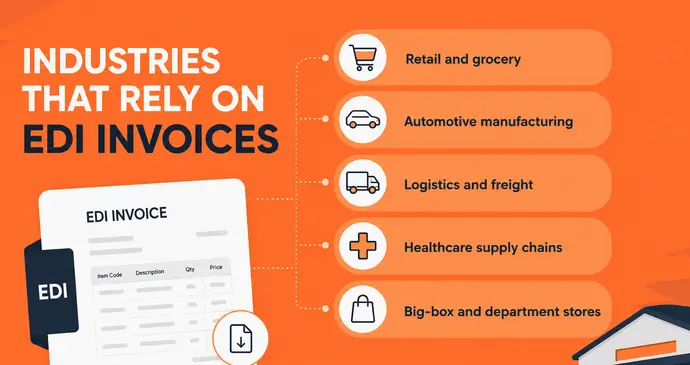
EDI invoicing shows up most heavily in industries with high transaction volume and long-standing supply chains:
- Retail and grocery – thousands of SKUs, daily deliveries, tight margins that reward automation
- Automotive manufacturing – parts suppliers feeding assembly lines on tight schedules
- Logistics and freight – carriers billing shippers using formats like EDI 210
- Healthcare supply chains – hospitals ordering from medical suppliers at scale
- Big-box and department stores – often mandating EDI as a condition of doing business with any supplier
If your business sells into any of these industries at scale, expect an EDI requirement sooner or later.
EDI Invoicing for Small Businesses
Here’s the honest, practical truth most guides skip: the vast majority of small businesses will never need full EDI. What they need is speed and professionalism without the enterprise-level infrastructure.
If a large client asks you for “EDI invoices” but you’re not ready to build that connection, it’s worth having a direct conversation. Many large buyers will accept a clean, well-formatted PDF invoice, at least initially, especially from a smaller vendor — as long as it’s accurate, itemized, and consistent every time.
Until (or unless) you reach the volume that justifies real EDI infrastructure, focus on getting the fundamentals right:
- Send invoices instantly, with accurate tax and totals
- Keep a consistent paper trail with matching purchase orders and quotes
- If you sell internationally or need pre-shipment documentation, use a proforma invoice generator to mirror the header/line-item structure EDI systems expect
- If you’re in India or dealing with GST, double-check your tax math with a GST calculator before the invoice goes out
- Browse ready-made invoice templates if you want a polished, brand-ready starting point
Getting these basics airtight now also makes a future move to true EDI much smoother, since your invoice data is already clean, consistent, and structured the same way every time.
The Bottom Line
An EDI invoice is, at its core, just a bill designed to be read by software instead of a person. It follows a strict, pre-agreed format, most commonly EDI 810 in the US. So it can move automatically from a seller’s system into a buyer’s system, get matched against the original order, and get paid, all without anyone typing a single number.
It’s a genuinely powerful tool for high-volume B2B relationships, particularly in retail, manufacturing, and logistics. But it’s not a requirement for every business, and setting it up without a real need can cost more time and money than it saves.
If you’re not there yet or you simply need to get a professional invoice out the door today. When your volume and trading partners eventually demand full EDI, you’ll already have clean, consistent invoice data to build on.